 GenClass
The dashboard. Every app, every problem, one place.
The genclass.dev dashboard shows what GenClass found in each of your apps, on which pages, and what it did about it. It is free for every app, with 90 days of history, export and forwarding. Sign up and connect an app in about two minutes.
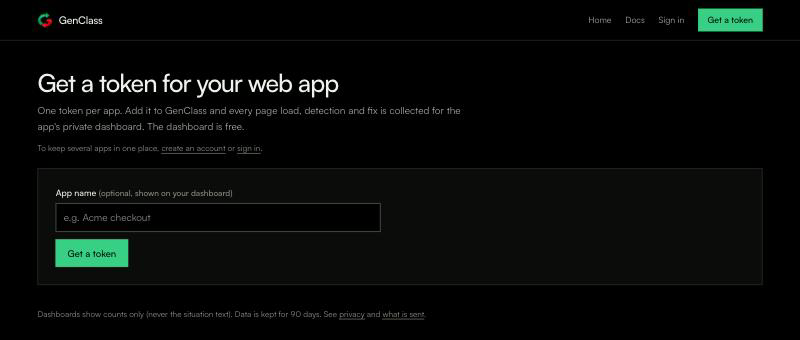
Get your dashboard
Two ways, both free and neither needs a card:
- With an account (recommended): sign up with Google, GitHub, or an email and a password, then choose New app. The account keeps all your apps in one place, and
npx @genclass/runtime@beta logincan connect an app for you. - Without an account: genclass.dev/start gives an app a token and a private dashboard link. Keep the link private: anyone with it can see that app's stats. You can add the app to an account later.
Connect an app
Each app has a project key (a token, gc_ and 22 letters and digits). It is public and safe in front-end code: it can only add telemetry to its app. The app's Connect view shows the key and three ways to add it; any one is enough.
# in the app's folder: sign in, pick the app, review the change, done
npx @genclass/runtime@beta login
<!-- or one script tag -->
<script src="https://cdn.jsdelivr.net/npm/@genclass/runtime@beta" data-token="gc_..."></script>// or in code
import { GenClass } from "@genclass/runtime";
GenClass.init({ token: "gc_..." });Then deploy and load a page. The Connect view says Connected when the first event arrives, usually within a minute: batches go out every 10 seconds and when a tab is hidden. Local hosts (localhost, *.local, *.test, private networks) do not send by default, so the first event usually comes from your deployed site. Project keys need @genclass/runtime 0.3.0-beta.0 or later (npm i @genclass/runtime@beta); 0.2.x ignores them.
Find your way around
The sidebar on the left switches between views, and the address bar follows, so you can bookmark or share a view (#found, #recent-s). The header always shows where you are: Apps / your app / the view.
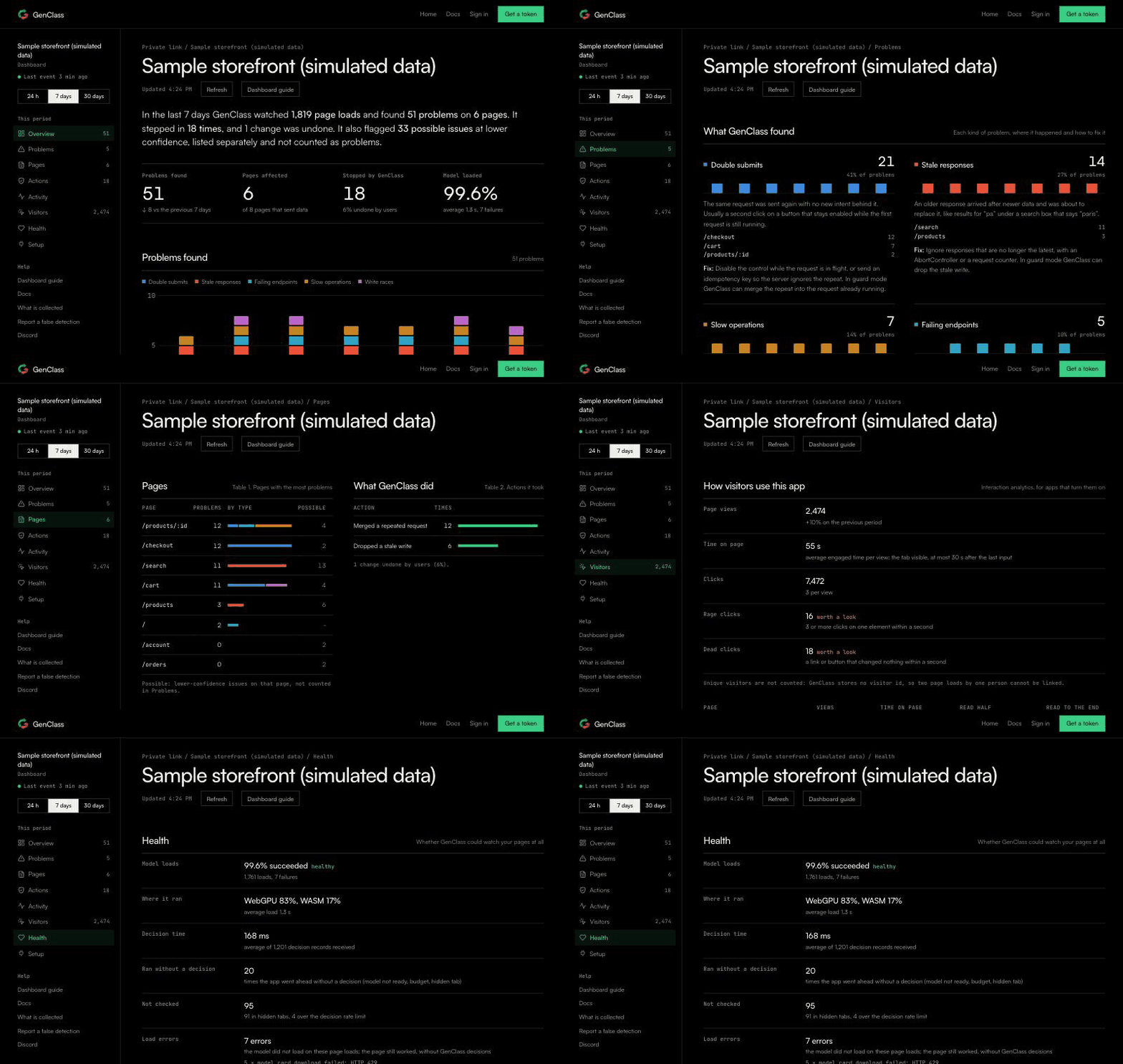
- Overview: one sentence on the period (page loads watched, problems found, times GenClass stepped in), four tiles, and the problems found per hour or day, by type.
- Problems: one card per kind of problem, with how often, on which pages, and how to fix it in your code.
- Pages and Actions: the pages with the most problems, and what GenClass did about them.
- Activity: the latest 50 detections and interventions, newest first.
- Visitors: how people use each page, for apps that turn on interaction analytics.
- Health: whether GenClass could watch your pages at all (model loads, where it ran, decision time).
- Connect, Forwarding and Export (in your account): the key, the tools problems go to, and every event as a file or by API.
Time ranges
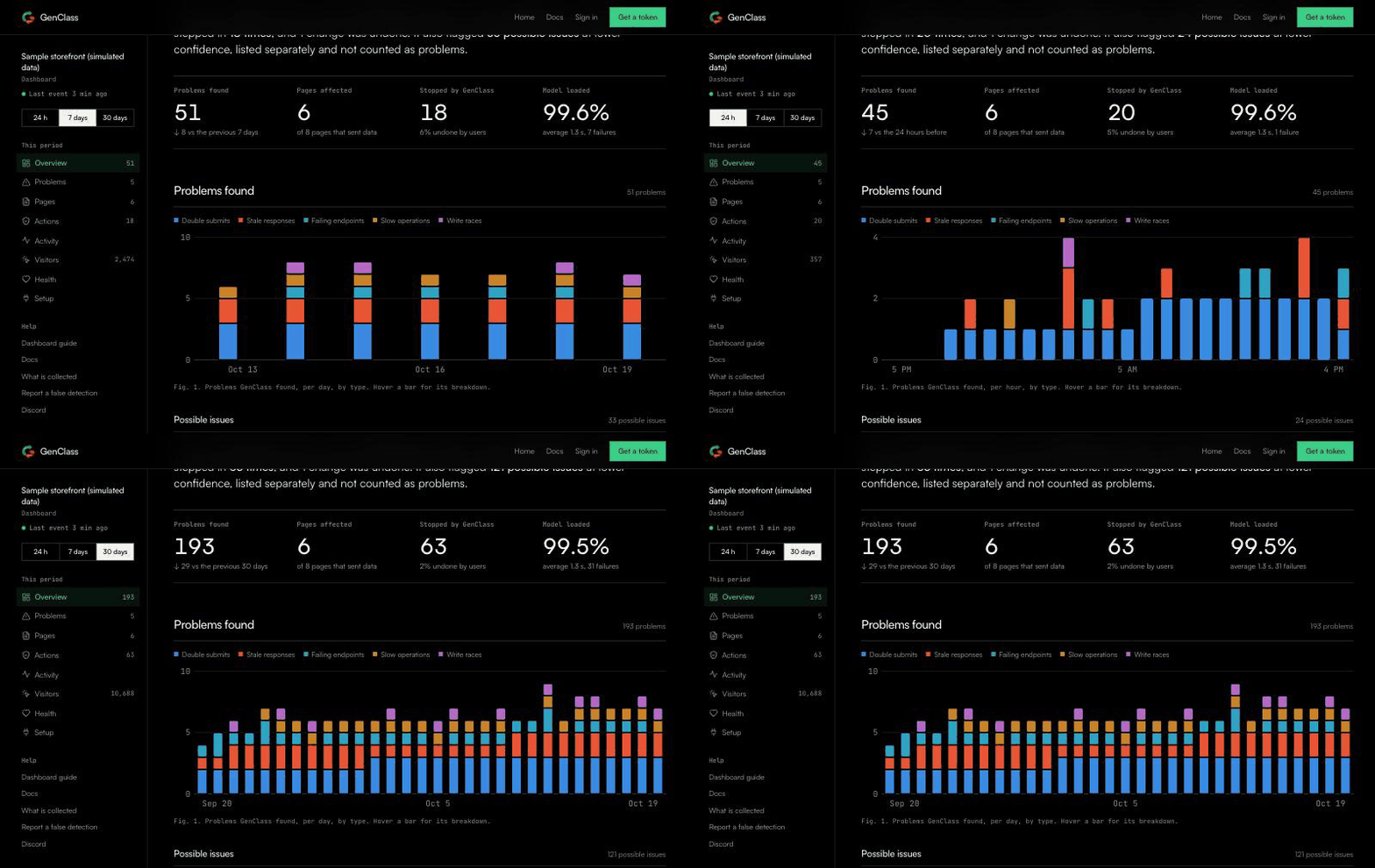
The buttons above the sidebar pick the period: 24 hours (per hour), 7 days, 30 days and 90 days on Free; Individual adds a year. Every view follows the range, and the dashboard refreshes every minute while the tab is open.
Read a problem
Each card in Problems is one kind of bug that never throws: double submits, stale responses, write races, failing endpoints, slow operations, failure storms and broken relations between fields. A card shows:
- how many times it happened in the period, and its share of all problems;
- a small chart of when, so a spike after a deploy stands out;
- the pages (routes) it happened on, most first;
- Fix: what to change in your code, and what guard mode can do about it meanwhile.
Possible issues, under the cards, are problems the model leaned towards with less confidence than it reports at. They are not counted as problems, but one that keeps coming back on the same page is worth a look. Think a report is wrong? Report a false detection.
Pages and actions
Pages lists routes by problems, with a bar per type, so you know where to start. Actions counts what GenClass did in guard or heal mode, such as merging a repeated request or dropping a stale write, and how many of those your users undid. In observe mode, the default, GenClass only reports and this table stays empty.
Visitors
Apps that turn on interaction analytics (analytics: true, from runtime 0.3.0-beta.1) also see page views, engaged time, scroll depth, the most clicked elements, and rage and dead clicks, per page. Elements are named by a selector or a name you give them (data-genclass-name), never by their text, and no visitor id exists, so unique visitors are not counted. It is free on every plan.
Health
Whether GenClass could watch your pages: the share of model loads that succeeded, WebGPU or WASM, average load and decision times, and the times it went ahead without a decision (the model not ready yet, a hidden tab). If something here looks wrong, the problems view can be missing things.
On your phone
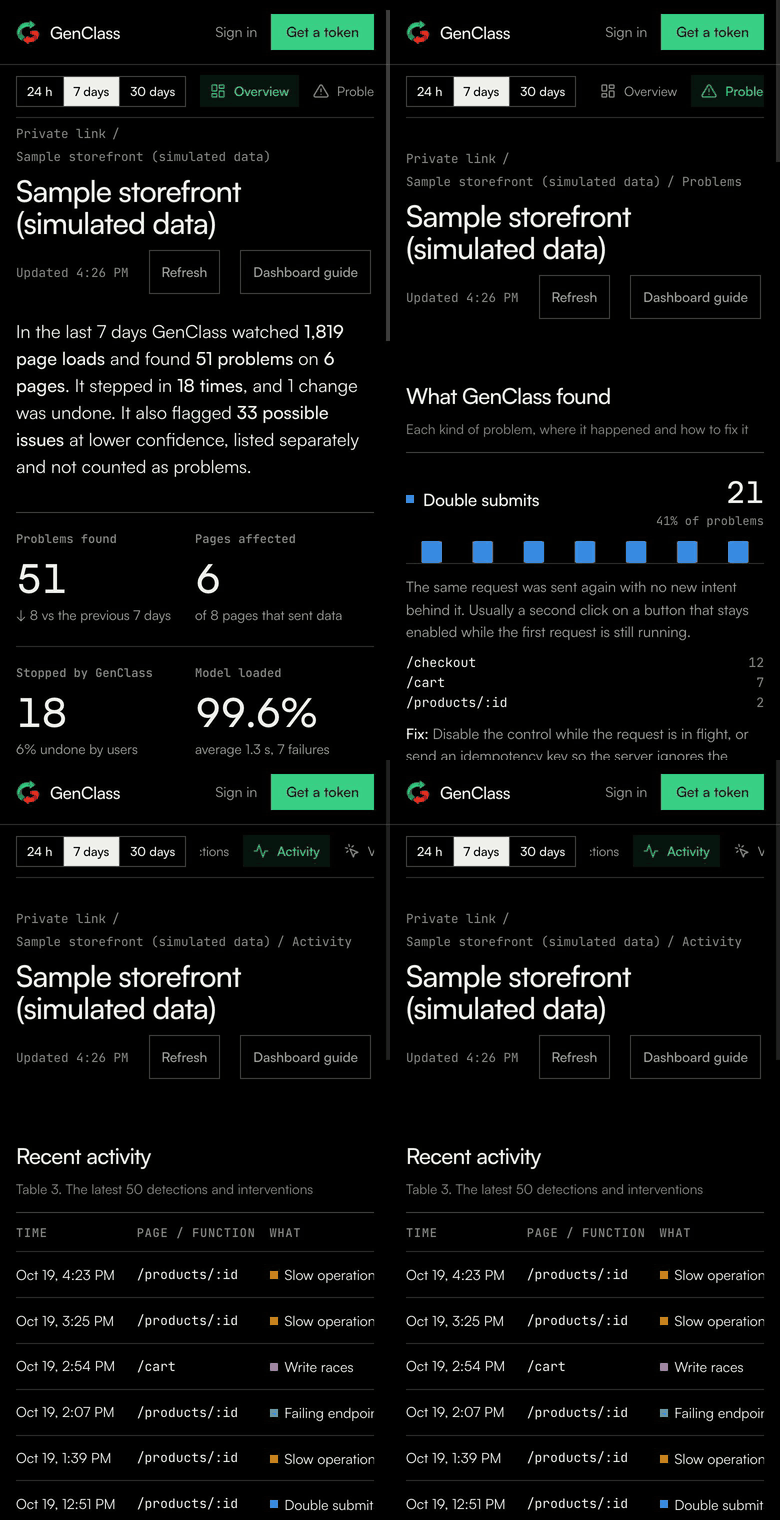
The dashboard works on a phone: the sidebar becomes a row of tabs under the header.
Forwarding
In an app's Forwarding view, connect Sentry, PostHog, Datadog, Slack or a signed webhook, and each new likely problem goes there too, from our server, with no code in your app. A record has the problem type, confidence, page route, versions and a link back to the dashboard, never page text. The same problem on the same page is sent at most once an hour, and an app sends at most 60 records an hour. Free on every plan.
Export
The Export view downloads every event GenClass received for the app as JSON Lines or CSV, or gives you an export key for the API (GET /api/account/projects/<id>/events). It covers 90 days on Free and 1 year on Individual.
Who sees what
The dashboard shows counts only: the kind of problem, the page route, confidence, what GenClass did and how fast it decided. No text from your pages, no IP addresses and no user agents are stored. An app in your account is visible to you while signed in; an app with a private link is visible to anyone with the link, and you can turn the link off. The data passes through GenClass's collector, and the GenClass maintainers use it to improve the model; every field is listed here.
Private mode: your own collector
If your data should never pass through us, run the same open-source collector on your own Cloudflare account. It gives you the same dashboards and accounts on your own domain, and nothing reaches GenClass. It takes about ten minutes with wrangler, and the free tiers are enough to start:
git clone https://github.com/genclass-dev/GenClass-lib && cd GenClass-lib/telemetry-worker
npx wrangler login
npx wrangler r2 bucket create genclass-telemetry
npx wrangler d1 create genclass-dashboard     # paste its id into wrangler.selfhost.toml, set your worker's URL there
npx wrangler d1 migrations apply genclass-dashboard --remote -c wrangler.selfhost.toml
npx wrangler deploy -c wrangler.selfhost.toml
Then open https://<your worker>/start. Its snippets already send to your collector:
GenClass.init({ token: "gc_...", telemetry: { endpoint: "https://<your worker>/v1/events" } });The full steps, accounts and forwarding on your own collector are in the collector's README. To send nothing at all, turn telemetry off: telemetry: false; the runtime works the same, without a dashboard.
Questions
Does the dashboard cost anything? No. Every plan includes it, with export and forwarding. Individual adds a classifier GenClass trains for you and a year of history.
How long is data kept? 90 days on Free (hourly detail for 48 hours), 1 year on Individual.
The dashboard stays empty. Check that the page runs @genclass/runtime 0.3.0-beta.0 or later with the key, that telemetry is on, and that you are looking at a deployed site (local hosts do not send by default). The Connect view says when the first event arrives.
Can I try it without my own app? Yes: the sample dashboard shows a week of a simulated storefront.